
Record manufacturing formulas, batches and completion
Recipes joint outputs material consumption quality release and production costing
Recipes joint outputs material consumption quality release and production costing. For authorised operational users and Tenant Administrators working within their subscription workspace.
Prepare production prerequisites
Use the Manufacturing area in the correct company and location. Confirm production setup, active materials and output items, posting groups, overhead codes, warehouses and tracking rules. The Manufacturing setup guide explains those foundations. A formula is a reusable specification; a batch is the record of actual production.
Review the recipe before making a batch
Identify the active formula and version, its standard batch scale and main/co-product/by-product outputs. Review every material, unit, normal-loss rule and overhead. Select the approved joint-cost basis. Physical Quantity uses output quantities, Market Value uses market-value inputs, NRV uses net realisable value inputs and Fixed Percent uses the declared allocation split. These choices allocate production cost; they do not invoice a customer.
Prepare quantities and stock identities
Choose Location before Formula. Review Ledger Date, Transaction Date and the proposed rows. Enter measured consumption and output rather than copying standards automatically. Identify the material issue warehouse separately from each output receipt warehouse; complete required bins, lots, serials and expiry details. Review available stock for the selected identities, not just the item total.
Field explanations and training references
Each listed control has an entry rule, example, implication and caution. Figures use fictional training values. Available controls depend on the saved state, permissions, country, item tracking and company policy; select actual application records rather than copying the example text.
Formula header field reference
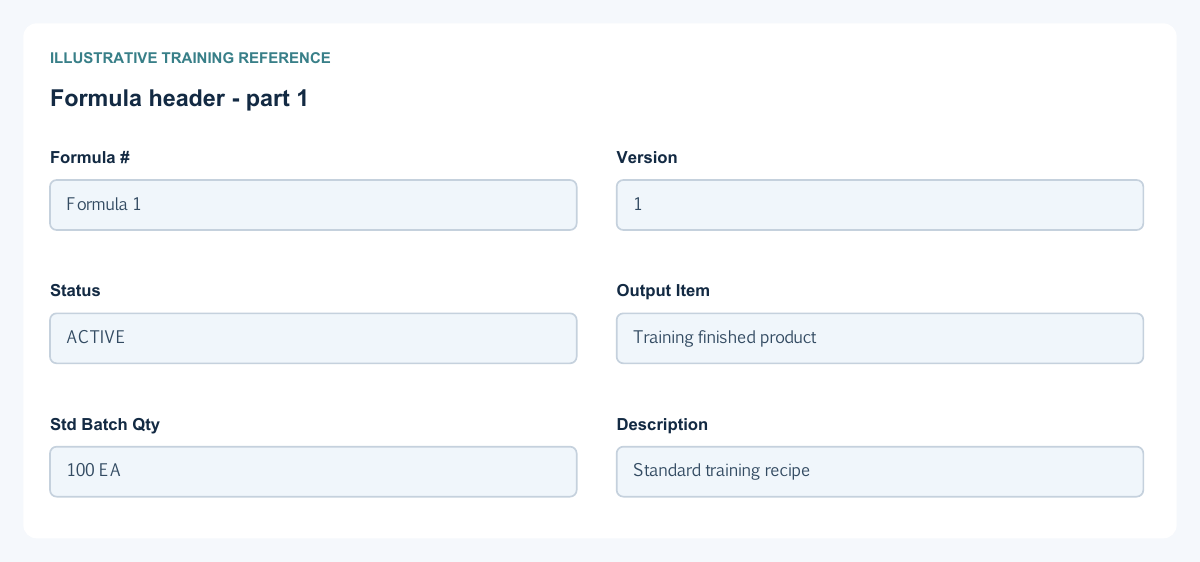
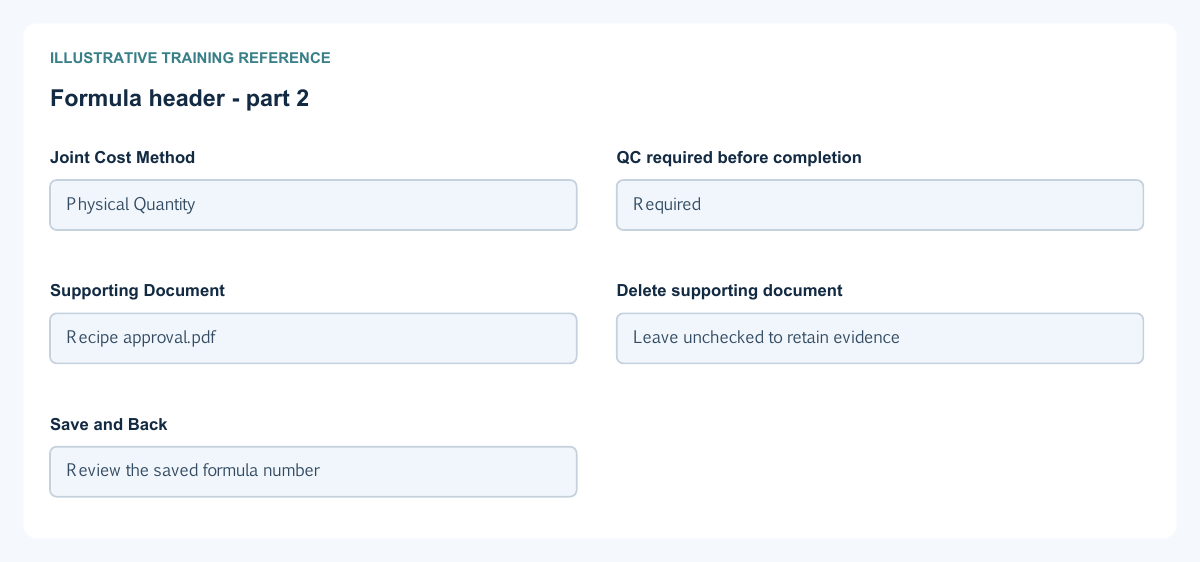
Figure 1 Formula header
| Field and figure | Entry rule and example | Purpose and implication |
|---|---|---|
| Formula # - Figure 1 | Generated reference. Example: Formula 1 | Identifies the reusable recipe rather than a stock movement. Caution: Keep the reference when discussing a batch. |
| Version - Figure 1 | Required formula revision. Example: 1 | Distinguishes versions of the manufacturing specification. Caution: Do not assume changing a recipe rewrites earlier batches. |
| Status - Figure 1 | Select ACTIVE or INACTIVE. Example: ACTIVE | Controls whether the formula is available for new production. Caution: Inactive is not a reversal of earlier production. |
| Output Item - Figure 1 | Select the main permitted inventory item. Example: Training finished product | Identifies the main product and its manufacturing defaults. Caution: Select an actual record, not just typed search text. |
| Std Batch Qty - Figure 1 | Positive standard batch quantity. Example: 100 EA | Provides the formula scale used for production planning. Caution: Check units before scaling quantities. |
| Description - Figure 1 | Optional factual description. Example: Standard training recipe | Explains the purpose of this version. Caution: Keep specifications and approval evidence consistent. |
| Joint Cost Method - Figure 1 | Choose the approved method: Physical Quantity, Market Value, NRV or Fixed Percent. Example: Physical Quantity | Controls allocation of joint production cost among outputs. Caution: Changing the method changes product costing, not customer selling prices. |
| QC required before completion - Figure 1 | Enable when quality release is mandatory. Example: Required | Makes the completion process depend on the batch quality result. Caution: Do not record a pass without authorised inspection evidence. |
| Supporting Document - Figure 1 | Optional approved specification attachment. Example: Recipe approval.pdf | Retains supporting evidence with the formula. Caution: Avoid confidential or unrelated personal data in shared training files. |
| Delete supporting document - Figure 1 | Conditional explicit removal of the existing attachment. Example: Leave unchecked to retain evidence | Removes the attachment through the supported save operation. Caution: Attachment removal does not cancel a formula or batch. |
| Save and Back - Figure 1 | Save the permitted formula changes or leave the form. Example: Review the saved formula number | Retains the recipe for later selection. Caution: Saving a formula does not consume material or create finished stock. |
Formula output material and overhead lines field reference
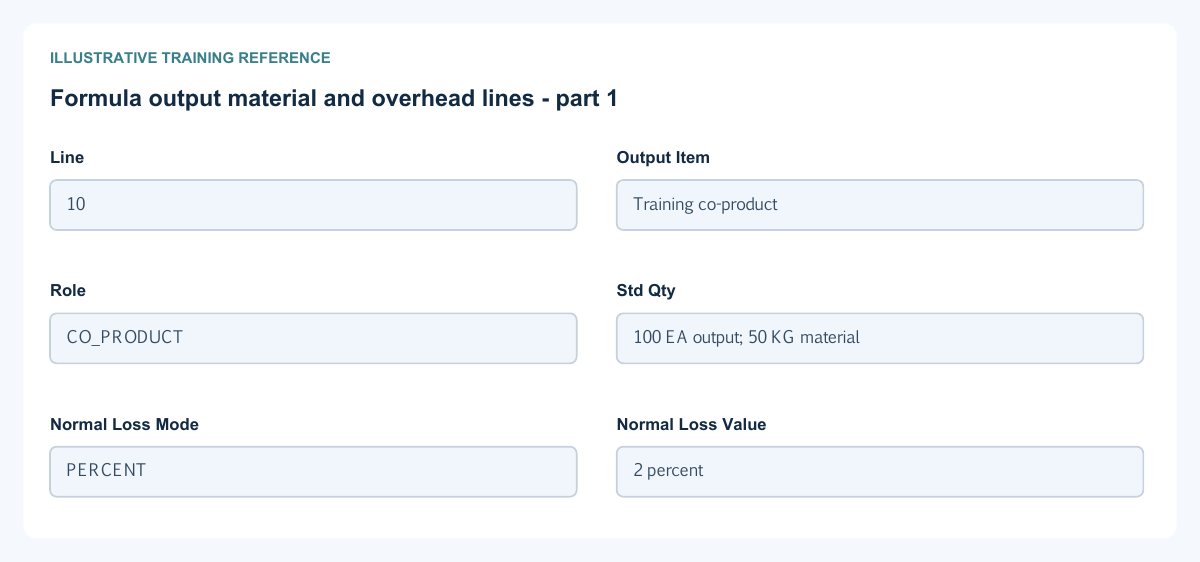
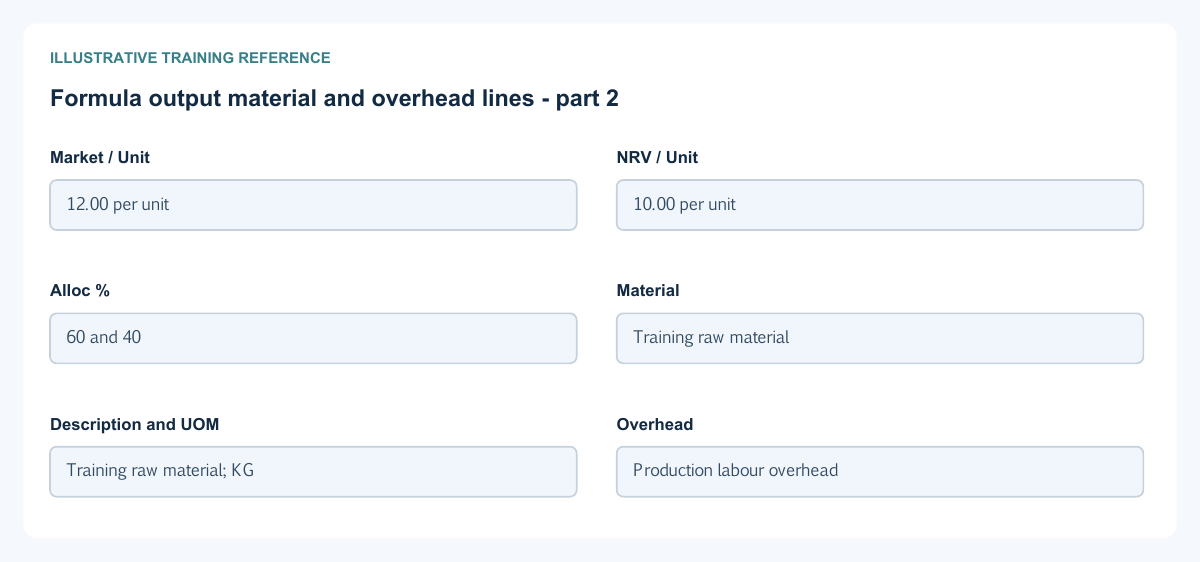
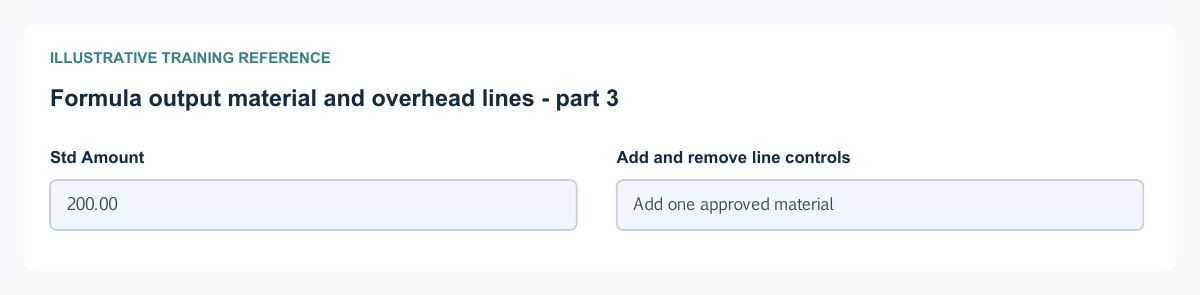
Figure 2 Formula output material and overhead lines
| Field and figure | Entry rule and example | Purpose and implication |
|---|---|---|
| Line - Figure 2 | Line identity within each grid. Example: 10 | Distinguishes formula rows and later batch references. Caution: Output, material and overhead grids are different sets of rows. |
| Output Item - Figure 2 | Select each intended product. Example: Training co-product | Defines the output mix. Caution: Avoid accidental duplicate output identities. |
| Role - Figure 2 | Choose MAIN, CO_PRODUCT or BY_PRODUCT as permitted. Example: CO_PRODUCT | Distinguishes the main product and other outputs for allocation. Caution: A by-product is not automatically valued at an arbitrary zero cost. |
| Std Qty - Figure 2 | Positive standard quantity in the relevant output or material row. Example: 100 EA output; 50 KG material | Defines the recipe's quantities at its standard scale. Caution: Output quantity and material consumption have different meanings and units. |
| Normal Loss Mode - Figure 2 | Choose NONE, PERCENT or FIXED_QTY. Example: PERCENT | Defines how expected normal loss is measured. Caution: A percentage is not a fixed number of units. |
| Normal Loss Value - Figure 2 | Value consistent with the selected loss mode. Example: 2 percent | Supplies the normal-loss allowance used by the recipe. Caution: Do not combine incompatible units or conceal unusual loss in the allowance. |
| Market / Unit - Figure 2 | Approved market-value input when needed by the joint-cost method. Example: 12.00 per unit | Supplies a relative allocation basis. Caution: This is not a customer invoice price or sales journal. |
| NRV / Unit - Figure 2 | Approved net realisable value input when applicable. Example: 10.00 per unit | Supplies the NRV allocation basis. Caution: Document the basis and keep units consistent across outputs. |
| Alloc % - Figure 2 | Allocation percentage when Fixed Percent is used. Example: 60 and 40 | Defines the approved split of joint cost. Caution: Review the complete output allocation, not one percentage in isolation. |
| Material - Figure 2 | Select an eligible inventory material. Example: Training raw material | Identifies the item to be consumed. Caution: A description alone does not identify stock. |
| Description and UOM - Figure 2 | Item-derived reference displays. Example: Training raw material; KG | Confirms the selected material and measurement unit. Caution: Changing a quantity does not convert its unit. |
| Overhead - Figure 2 | Select the configured overhead code. Example: Production labour overhead | Links the overhead to its setup and accounts. Caution: Do not substitute a material item or manually bypass account setup. |
| Std Amount - Figure 2 | Nonnegative formula overhead amount. Example: 200.00 | Defines standard overhead for the formula scale. Caution: It is a standard, not proof of actual cost incurred. |
| Add and remove line controls - Figure 2 | Maintain permitted rows before saving. Example: Add one approved material | Changes the proposed recipe. Caution: Do not remove required main-output or historical records to force a save. |
Batch header and quality field reference
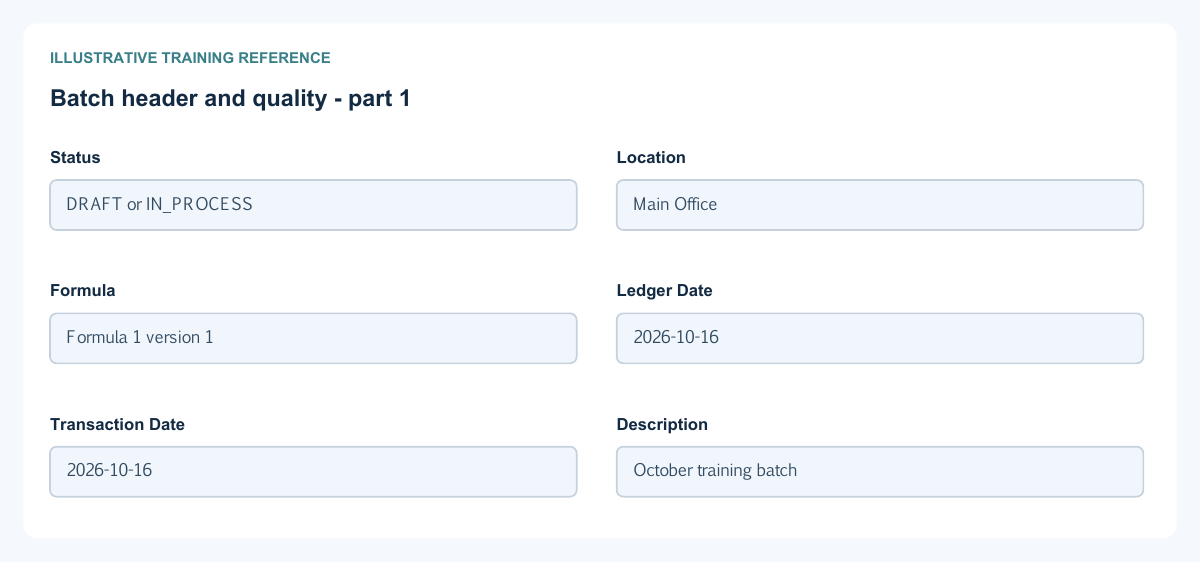
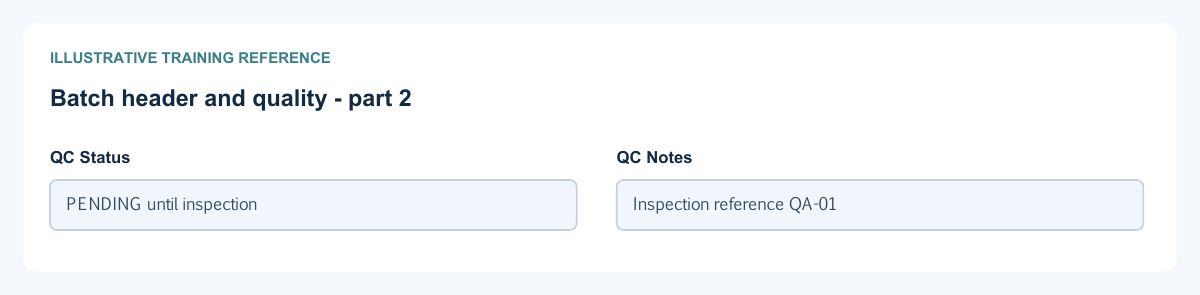
Figure 3 Batch header and quality
| Field and figure | Entry rule and example | Purpose and implication |
|---|---|---|
| Status - Figure 3 | Read-only saved workflow state. Example: DRAFT or IN_PROCESS | Distinguishes preparation, work in progress and completed production. Caution: A queued request is not a completed stock or journal posting. |
| Location - Figure 3 | Required first selection. Example: Main Office | Scopes eligible formulas, warehouses and production work. Caution: Review company and location before filling line allocations. |
| Formula - Figure 3 | Required eligible active formula. Example: Formula 1 version 1 | Supplies the recipe and output/material/overhead defaults. Caution: Recheck all rows after changing the formula. |
| Ledger Date - Figure 3 | Required eligible open-period date. Example: 2026-10-16 | Controls the accounting timeline of production. Caution: Do not use another date to bypass a closed period. |
| Transaction Date - Figure 3 | Required business date no later than Ledger Date. Example: 2026-10-16 | Records when the production transaction occurred. Caution: Document and ledger dates have different purposes. |
| Description - Figure 3 | Optional batch explanation. Example: October training batch | Identifies the operational reason or reference. Caution: It does not replace stock identities or quality evidence. |
| QC Status - Figure 3 | Choose a permitted result: NA, PENDING, PASSED or FAILED. Example: PENDING until inspection | Records quality status; choices depend on the formula's quality requirement. Caution: A required quality release must be satisfied before completion. |
| QC Notes - Figure 3 | Factual inspection notes while permitted. Example: Inspection reference QA-01 | Retains the reason and inspection reference. Caution: Keep failed inspection evidence; do not overwrite it merely to unlock completion. |
Batch outputs and receipts field reference
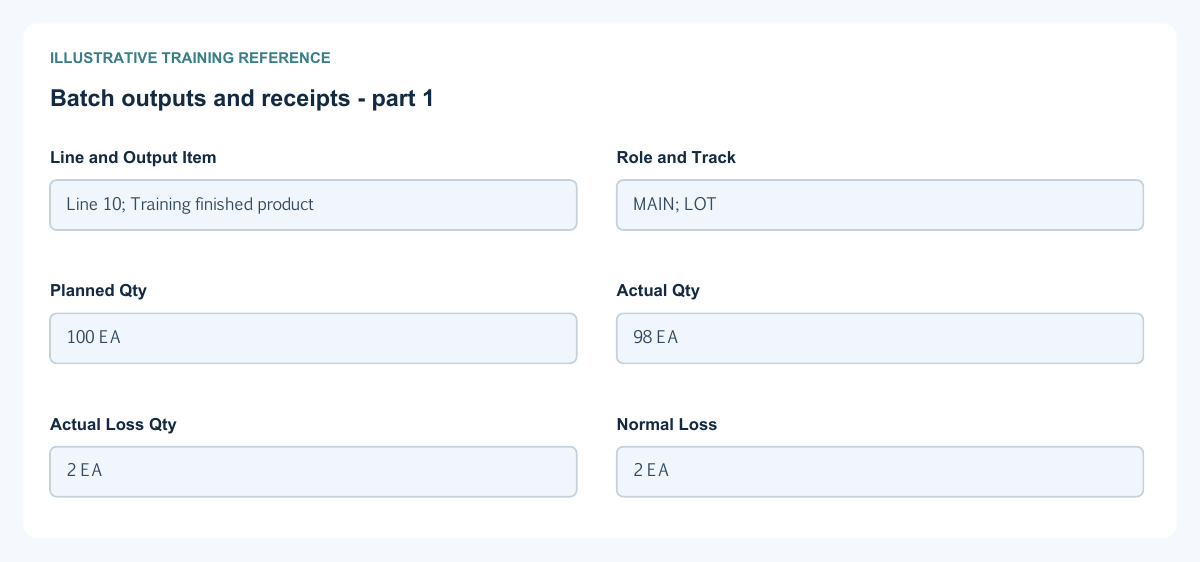
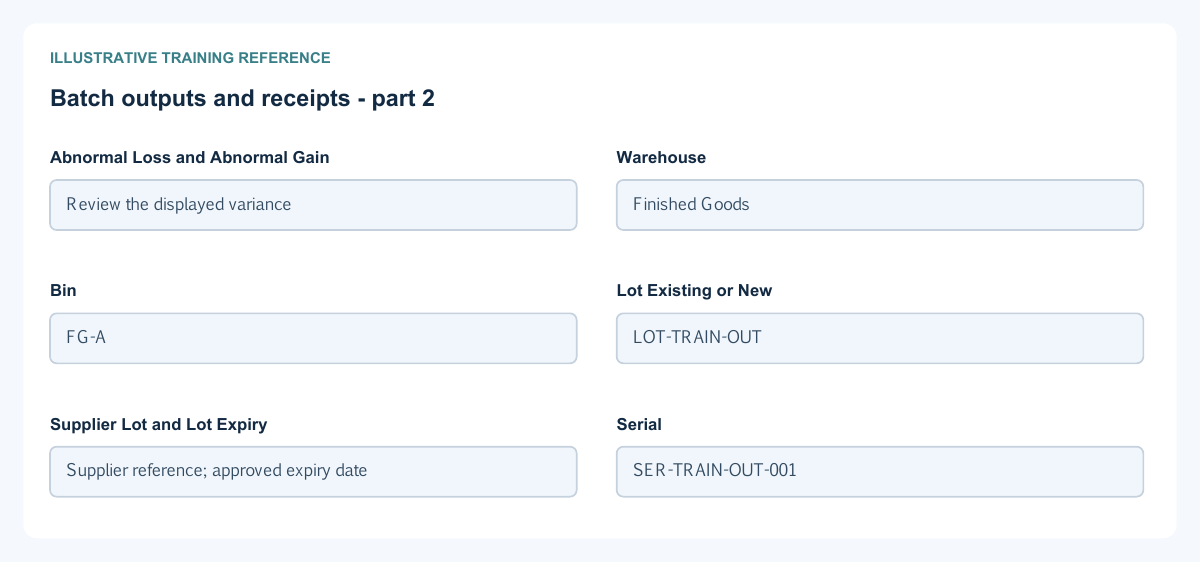
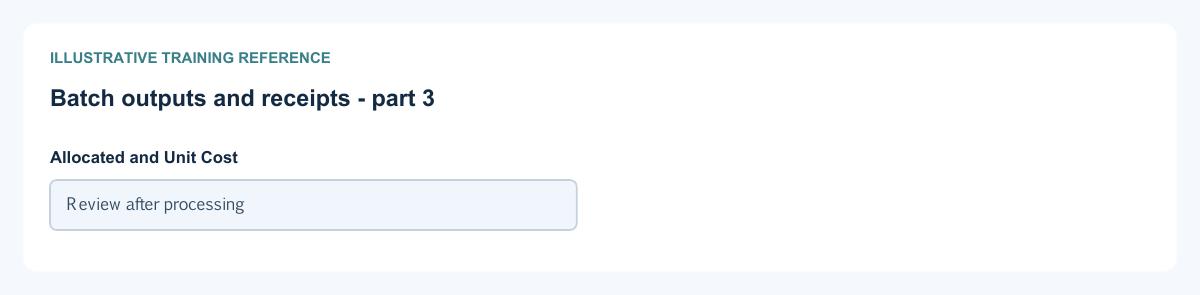
Figure 4 Batch outputs and receipts
| Field and figure | Entry rule and example | Purpose and implication |
|---|---|---|
| Line and Output Item - Figure 4 | Formula-derived or permitted output row identity. Example: Line 10; Training finished product | Identifies the product being received. Caution: Confirm all co-products and by-products before completion. |
| Role and Track - Figure 4 | Output role and item tracking reference. Example: MAIN; LOT | Identifies allocation role and required tracking detail. Caution: Tracking is not disabled by leaving the fields blank. |
| Planned Qty - Figure 4 | Planned output quantity. Example: 100 EA | Records intended production volume. Caution: It is not the quantity actually received. |
| Actual Qty - Figure 4 | Actual output quantity for completion. Example: 98 EA | Determines the declared finished output quantity. Caution: Use measured output, not the planned quantity by habit. |
| Actual Loss Qty - Figure 4 | Measured output loss quantity. Example: 2 EA | Supplies the loss analysis for that output. Caution: Do not also reduce quantities a second time without understanding the calculation. |
| Normal Loss - Figure 4 | Calculated loss within the allowance. Example: 2 EA | Separates expected loss from exceptional variance. Caution: It is not an editable replacement for the actual measurement. |
| Abnormal Loss and Abnormal Gain - Figure 4 | Calculated differences outside the normal basis. Example: Review the displayed variance | Identify exceptional production differences. Caution: Investigate unexpected values before completion. |
| Warehouse - Figure 4 | Required receipt warehouse in the permitted location. Example: Finished Goods | Identifies the receiving stock store. Caution: It can differ from the material issue warehouse. |
| Bin - Figure 4 | Conditional when the receipt warehouse uses bins. Example: FG-A | Identifies the receipt storage bin. Caution: Use an actual permitted bin; do not invent one in a note. |
| Lot Existing or New - Figure 4 | Required for lot-tracked output as applicable. Example: LOT-TRAIN-OUT | Identifies the internal output lot. Caution: Check whether you are selecting existing stock identity or creating a new lot. |
| Supplier Lot and Lot Expiry - Figure 4 | Conditional supplementary lot and expiry data. Example: Supplier reference; approved expiry date | Preserve traceability and shelf-life details. Caution: A supplier lot does not replace the internal lot identifier. |
| Serial - Figure 4 | Required for serial-tracked output. Example: SER-TRAIN-OUT-001 | Identifies an individual finished unit. Caution: Do not duplicate serials or use fractional serial units. |
| Allocated and Unit Cost - Figure 4 | Calculated output cost displays. Example: Review after processing | Show the production cost allocation and resulting output unit cost. Caution: These are not selling prices or manual balancing entries. |
Batch consumption overhead and actions field reference
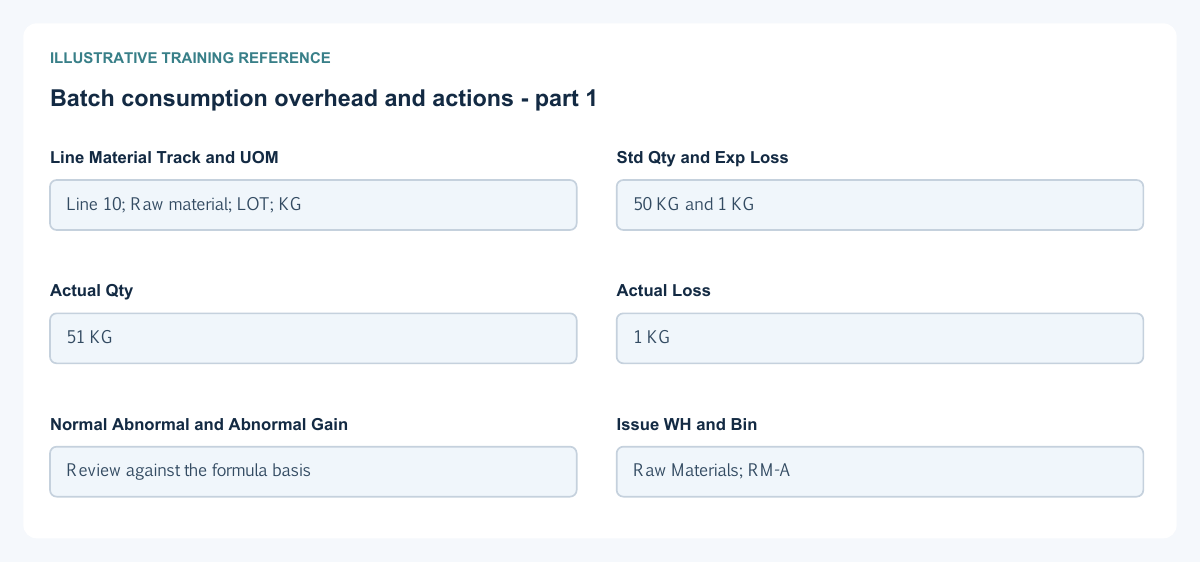
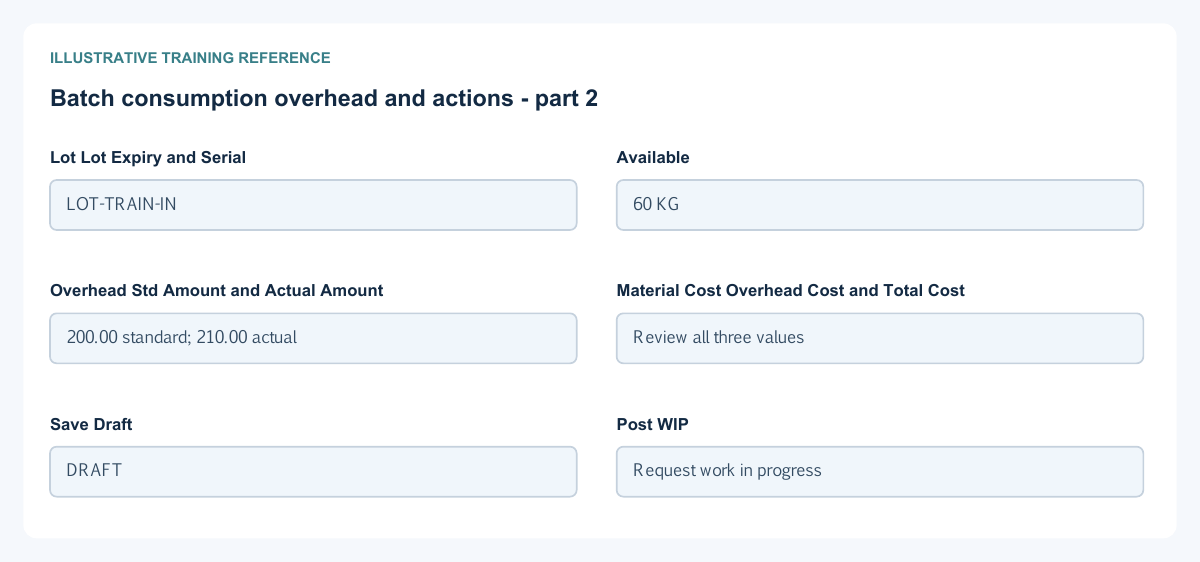
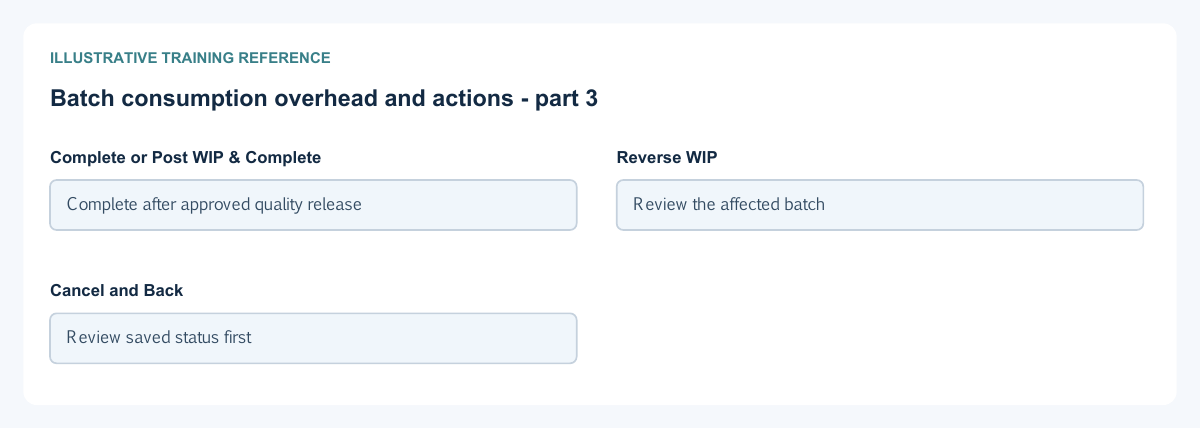
Figure 5 Batch consumption overhead and actions
| Field and figure | Entry rule and example | Purpose and implication |
|---|---|---|
| Line Material Track and UOM - Figure 5 | Material identity and measurement displays. Example: Line 10; Raw material; LOT; KG | Identify what will be consumed and how it is tracked. Caution: Check the actual item rather than relying on a similar description. |
| Std Qty and Exp Loss - Figure 5 | Recipe-derived quantity and expected-loss displays. Example: 50 KG and 1 KG | Provide the standard consumption basis and normal-loss allowance. Caution: They are not independent additional receipts. |
| Actual Qty - Figure 5 | Actual gross consumption quantity. Example: 51 KG | Records the material issued to the batch. Caution: Include the measured consumption and review its relationship to loss. |
| Actual Loss - Figure 5 | Actual measured material loss. Example: 1 KG | Separates consumed loss from productive input. Caution: Do not enter a percentage in a quantity field. |
| Normal Abnormal and Abnormal Gain - Figure 5 | Calculated material variance displays. Example: Review against the formula basis | Separate normal loss, excess loss and gain. Caution: Investigate an unexplained gain as carefully as an excess loss. |
| Issue WH and Bin - Figure 5 | Required permitted source warehouse and conditional bin. Example: Raw Materials; RM-A | Identify where material is taken from. Caution: Output receipt location does not select the source stock automatically. |
| Lot Lot Expiry and Serial - Figure 5 | Required stock identities according to tracking. Example: LOT-TRAIN-IN | Select the existing material identity being consumed. Caution: Expiry and serial restrictions still apply even if total quantity is available. |
| Available - Figure 5 | Read-only availability for the selected stock context. Example: 60 KG | Helps compare requested consumption with available stock. Caution: Availability can change before processing; refresh after an error. |
| Overhead Std Amount and Actual Amount - Figure 5 | Standard display and permitted actual cost input. Example: 200.00 standard; 210.00 actual | Distinguish planned overhead from the amount assigned to this batch. Caution: Do not add material cost again as overhead. |
| Material Cost Overhead Cost and Total Cost - Figure 5 | Calculated summary. Example: Review all three values | Summarise the batch's costing basis. Caution: A displayed estimate alone is not a posted ledger balance. |
| Save Draft - Figure 5 | Save editable batch data. Example: DRAFT | Retains preparation before the consequential actions. Caution: It does not prove consumption, completion or a posted journal. |
| Post WIP - Figure 5 | Available for an eligible saved batch. Example: Request work in progress | Requests movement of material and production cost into work in progress. Caution: Wait for processing and inspect the saved batch, stock and journal result before retrying. |
| Complete or Post WIP & Complete - Figure 5 | Available according to the saved WIP state. Example: Complete after approved quality release | Requests completion and finished-output costing; the combined action also handles the WIP stage. Caution: Confirm outputs, tracking, loss and quality before acting. |
| Reverse WIP - Figure 5 | Conditional for eligible in-process work with WIP but no completion journal. Example: Review the affected batch | Requests the supported reversal of work in progress. Caution: It is not a general reversal of completed production. |
| Cancel and Back - Figure 5 | Cancel only where the saved state permits; Back leaves the form. Example: Review saved status first | Cancel is distinct from WIP reversal and completed-output correction. Caution: After an interrupted request inspect existing results before submitting again. |
Understand normal and abnormal loss
For a material standard net quantity of 50 KG and a 2 percent normal allowance, the reference calculation gives expected loss of 1 KG and gross consumption of 51 KG. Actual loss is measured in KG, not percent. Review calculated normal, abnormal and gain columns against actual measurements and the saved formula basis. This illustrative quantity example is not a posted batch result.
Keep draft work, quality and completion separate
Save Draft retains preparation. Post WIP requests the work-in-progress stage; Complete requests finished-output processing. Without an existing WIP journal the form offers Post WIP & Complete. Required quality release must be satisfied before completion. Wait for the saved processing result; a queued message is not proof that stock or journals have posted.
Reconcile production quantity and value
After processing, reopen the batch and confirm its saved status, WIP/completion references and resulting journals. Compare material consumption by item, warehouse and tracking identity with inventory movements. Compare finished output quantities and allocated costs with stock valuation. Explain remaining WIP, overhead and abnormal-loss accounts using the same company and dates. Do not force the ledger to match an unprocessed screen estimate.
Correct preparation and interrupted actions safely
Correct editable Draft quantities and allocations before consequential actions. Reverse WIP applies only to the supported in-process state with a WIP journal and no completion journal; Cancel is not the same action. Completed production is not an ordinary editable Draft. After an interrupted request inspect the batch, stock and journals before retrying, and obtain the authorised correction route for completed output.
Walk through the batch in dependency order
- Prepare and review the active formula, materials, output items, overhead design and production mappings before creating the actual batch. A formula does not reserve or consume stock by itself.
- On the batch, confirm company, Location, Formula/version, Ledger Date and Transaction Date. Review the populated standard rows, then enter actual measured material consumption, output and loss. Confirm each issue/receipt warehouse and its required stock identity.
- Save Draft and reopen the saved batch. Check its number and complete rows; saving preparation is not WIP or finished-goods posting.
- Under the batch's permitted state, request Post WIP or the offered Post WIP & Complete route. For separate completion, satisfy required quality release before Complete. Inspect the existing result after an interruption before requesting the action again.
- Confirm actual saved status and the linked WIP/completion journals, inventory issues/receipts and cost results. Reconcile the outputs and remaining WIP before treating the batch as finished accounting.
Compare joint cost methods with an example
Assume an illustrative functional-currency cost pool of 1,000, comprising materials 800 and overhead 200, with two eligible joint outputs and no by-product, loss, gain, rounding difference or other adjustment. Output A has quantity 80 and output B quantity 20 in comparable units. This is a calculation example, not a saved batch or a direction to change an approved formula.
| Approved basis | Example inputs | Cost allocation before other adjustments |
|---|---|---|
| Physical Quantity | A 80 units; B 20 units | A 800 and B 200; the 80/20 quantity split determines the shares |
| Market Value | A 80 units at 11.25 per unit = 900; B 20 units at 5 per unit = 100 | A 900 and B 100; enter the correct per-unit market value, not the combined basis total |
| NRV | A 80 units at supported NRV 7.50 per unit = 600; B 20 units at 20 per unit = 400 | A 600 and B 400; NRV per unit is not interchangeable with gross selling price |
| Fixed Percent | A 70 percent; B 30 percent | A 700 and B 300; the eligible split must be complete and valid |
Each allocation sums to the same 1,000 pool, but the unit costs differ. Do not compare unlike UOMs as if they were equivalent physical quantities. Review by-product treatment, actual losses/gains, quality, overhead and the resulting saved costs separately when those conditions apply.
Check a WIP to completion bridge
For the same simplified example, expected production accounting accumulates eligible materials 800 and overhead 200 into WIP 1,000, then transfers the applicable completed cost from WIP to finished inventory. If all production is legitimately complete with no other adjustments, the batch-related WIP movement should clear. The raw-material issue is not another finished-goods receipt, and overhead absorption is not a second bank payment.
Use the actual material/output stock movements and posted journals for the same company, dates and batch. A leftover WIP amount can mean incomplete output, loss/variance, pending processing or a scope difference; investigate the source rather than posting a manual clearing amount. Reverse WIP is not a supported way to undo already completed/sold finished output.
Related user guides
Manufacturing setup, items, warehouses, inventory movements and accounting controls.