
Record asset capitalisation, depreciation, adjustments and disposal
Manual opening late and CWIP assets depreciation runs carrying values and disposal settlement
Manual opening late and CWIP assets depreciation runs carrying values and disposal settlement. For authorised operational users and Tenant Administrators working within their subscription workspace.
Prepare asset accounting and dates
Use the Fixed assets area for the selected company and permitted location. Confirm Asset Setup, categories, depreciation methods, useful lives, commencement policy and cost/accumulated-depreciation/expense/clearing accounts. Establish whether this is a current acquisition, a historical opening balance, late entry, CWIP capitalisation, adjustment or disposal before selecting a screen.
Choose one capitalisation route for each cost
Manual capitalisation records the asset with an approved contra account. Opening brings forward approved cost, accumulated depreciation and elapsed-life history at cutover. Late entry uses its historical dates, catch-up boundary and reason. The CWIP workbench selects eligible uncapitalised source cost and creates or adds to an asset. Do not use manual capitalisation as well as CWIP for the same cost, or duplicate balances already included in an opening migration.
Review depreciation before finalising
Use the depreciation Run Date to identify the intended month and calculate DRAFT first. Review eligible assets, useful life, residual value, commencement policy and amounts. FINAL applies the supported depreciation and creates its journal; Draft alone does not change the asset carrying balance. Review a saved journal status and register rather than treating the existence of a run as posting proof.
Field explanations and training references
Each listed control has an entry rule, example, implication and caution. Figures use fictional training values. Available controls depend on the saved state, permissions, country, item tracking and company policy; select actual application records rather than copying the example text.
Manual capitalisation and historical assets field reference
Figure 1 Manual capitalisation and historical assets
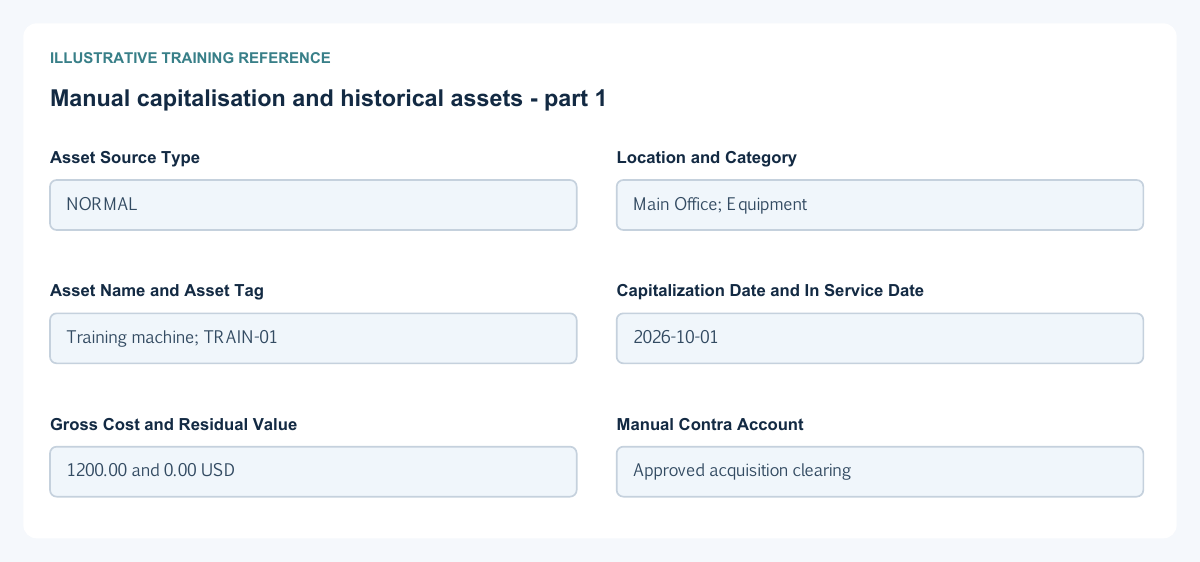
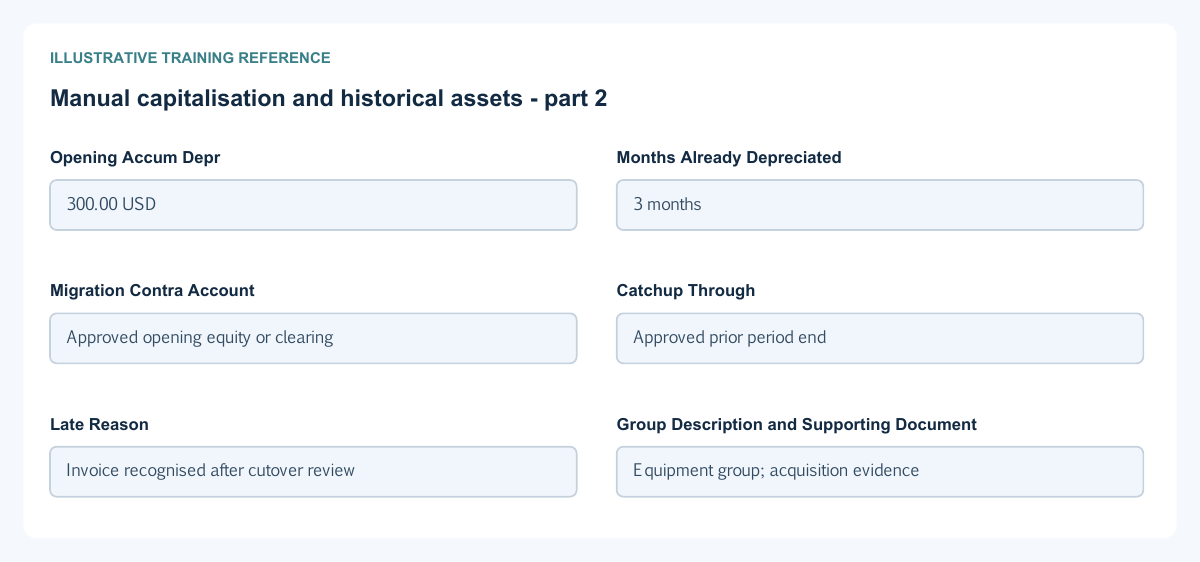

| Field and figure | Entry rule and example | Purpose and implication |
|---|---|---|
| Asset Source Type - Figure 1 | Choose the supported Normal, Late or Opening route. Example: NORMAL | Distinguishes current capitalisation, late entry and opening migration. Caution: Do not use Opening to bypass the organisation's cutover controls. |
| Location and Category - Figure 1 | Required permitted location and configured category. Example: Main Office; Equipment | Scope the asset and supply cost, depreciation and expense account defaults. Caution: A category is an accounting decision, not just a descriptive tag. |
| Asset Name and Asset Tag - Figure 1 | Required name and optional identification as shown. Example: Training machine; TRAIN-01 | Identify the physical asset. Caution: Do not duplicate a tag merely to record an adjustment. |
| Capitalization Date and In Service Date - Figure 1 | Required supported acquisition/accounting and use dates. Example: 2026-10-01 | Establish cost recognition and the depreciation start basis. Caution: The two dates need not mean the same business event. |
| Gross Cost and Residual Value - Figure 1 | Nonnegative supported values with residual not above cost. Example: 1200.00 and 0.00 USD | Define initial cost and the depreciable amount. Caution: Do not use residual value to hide an impairment or disposal. |
| Manual Contra Account - Figure 1 | Required approved offset account for manual capitalisation. Example: Approved acquisition clearing | Balances the manual asset journal. Caution: Do not credit a bank account unless that matches the actual approved source transaction. |
| Opening Accum Depr - Figure 1 | Conditional historical accumulated depreciation for opening assets. Example: 300.00 USD | Brings forward the approved accumulated balance. Caution: It is not a new cash payment or current-month depreciation expense. |
| Months Already Depreciated - Figure 1 | Conditional opening-history input. Example: 3 months | Supplies consumed useful-life history for the opening route. Caution: Reconcile months with the approved opening register and dates. |
| Migration Contra Account - Figure 1 | Conditional opening migration offset. Example: Approved opening equity or clearing | Balances the opening asset balances. Caution: Do not duplicate an already migrated GL balance. |
| Catchup Through - Figure 1 | Conditional catch-up boundary for historical capitalisation. Example: Approved prior period end | Defines how far the historical depreciation calculation should reach. Caution: Review open-period rules and the depreciation commencement policy. |
| Late Reason - Figure 1 | Required explanation where the late route requests it. Example: Invoice recognised after cutover review | Retains why the asset is entering late. Caution: A reason does not authorise reopening closed periods. |
| Group Description and Supporting Document - Figure 1 | Optional configured grouping, factual notes and approved attachment. Example: Equipment group; acquisition evidence | Support reporting and traceability. Caution: Protect supplier and personal information in shared evidence. |
| Save - Figure 1 | Consequential asset creation through the selected route. Example: Review the saved asset and journal | Creates the asset and applicable accounting records. Caution: An ordinary edit must not be used to recreate acquisition cost already recorded. |
CWIP capitalisation workbench field reference
Figure 2 CWIP capitalisation workbench
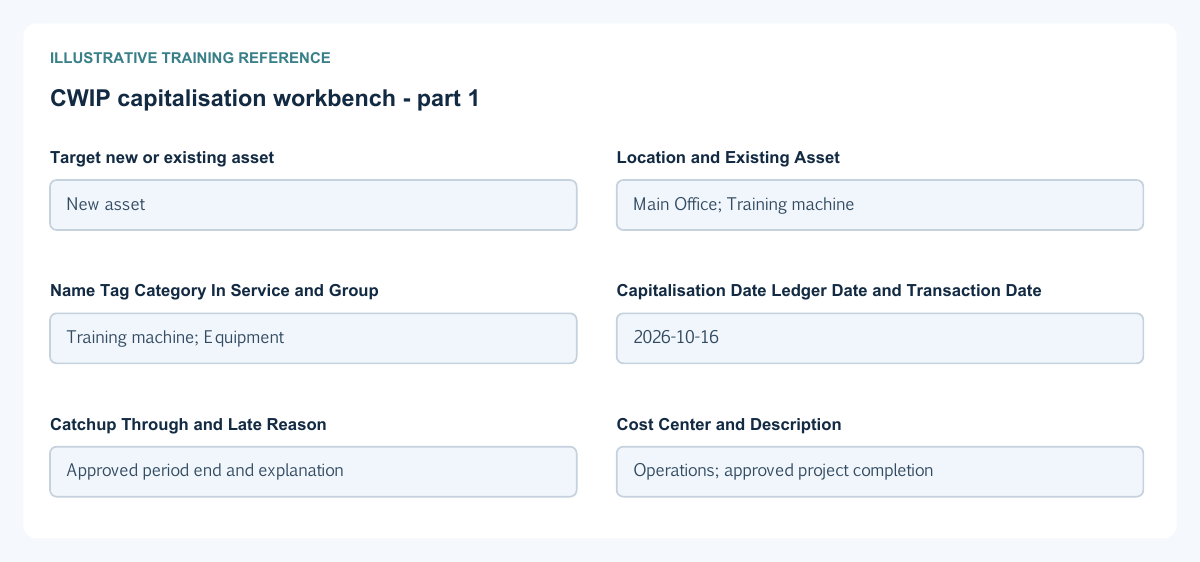
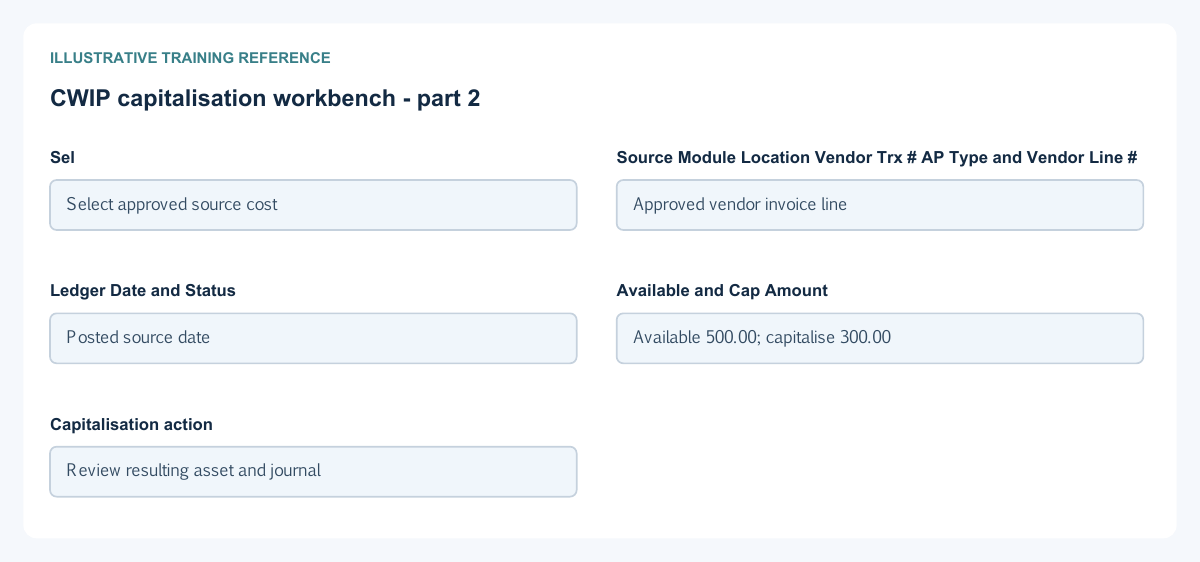
| Field and figure | Entry rule and example | Purpose and implication |
|---|---|---|
| Target new or existing asset - Figure 2 | Choose the intended capitalisation target. Example: New asset | Determines whether selected CWIP costs create or add to an asset. Caution: Do not create a duplicate asset when the cost belongs to an existing one. |
| Location and Existing Asset - Figure 2 | Required location and conditional actual existing-asset selection. Example: Main Office; Training machine | Scope the capitalisation target. Caution: Confirm company, status and asset identity before selecting source costs. |
| Name Tag Category In Service and Group - Figure 2 | Conditional new-asset details. Example: Training machine; Equipment | Define the new asset's identity, accounting defaults and use date. Caution: These details are not an instruction to alter an existing asset's historical category. |
| Capitalisation Date Ledger Date and Transaction Date - Figure 2 | Required eligible dates. Example: 2026-10-16 | Distinguish recognition, posting and business dates for the workbench transaction. Caution: Review period and timeline rules rather than copying today's date blindly. |
| Catchup Through and Late Reason - Figure 2 | Conditional historical-capitalisation inputs. Example: Approved period end and explanation | Support the late-capitalisation route. Caution: Catch-up may create additional depreciation, so review its separate amount. |
| Cost Center and Description - Figure 2 | Optional permitted analysis and factual explanation. Example: Operations; approved project completion | Attribute and describe the capitalisation. Caution: A cost center is not the source warehouse or target asset category. |
| Sel - Figure 2 | Explicit selection of a source row. Example: Select approved source cost | Determines which available CWIP rows are being capitalised. Caution: Review each selected row rather than relying on a bulk selection. |
| Source Module Location Vendor Trx # AP Type and Vendor Line # - Figure 2 | Read-only source identity. Example: Approved vendor invoice line | Links capitalisation back to the original cost. Caution: The displayed source is not a new supplier invoice or payment. |
| Ledger Date and Status - Figure 2 | Read-only source-row accounting date and state. Example: Posted source date | Help establish whether the source is eligible. Caution: Do not confuse the source date with the target capitalisation date. |
| Available and Cap Amount - Figure 2 | Available uncapitalised amount and selected capitalisation amount. Example: Available 500.00; capitalise 300.00 | Limit the amount taken from the source and preserve the remainder. Caution: Do not exceed availability or capitalise the same cost again through a manual route. |
| Capitalisation action - Figure 2 | Consequential confirmation after source and target review. Example: Review resulting asset and journal | Transfers selected eligible CWIP cost to the asset. Caution: It is not an additional cash disbursement. |
Depreciation runs and reversals field reference
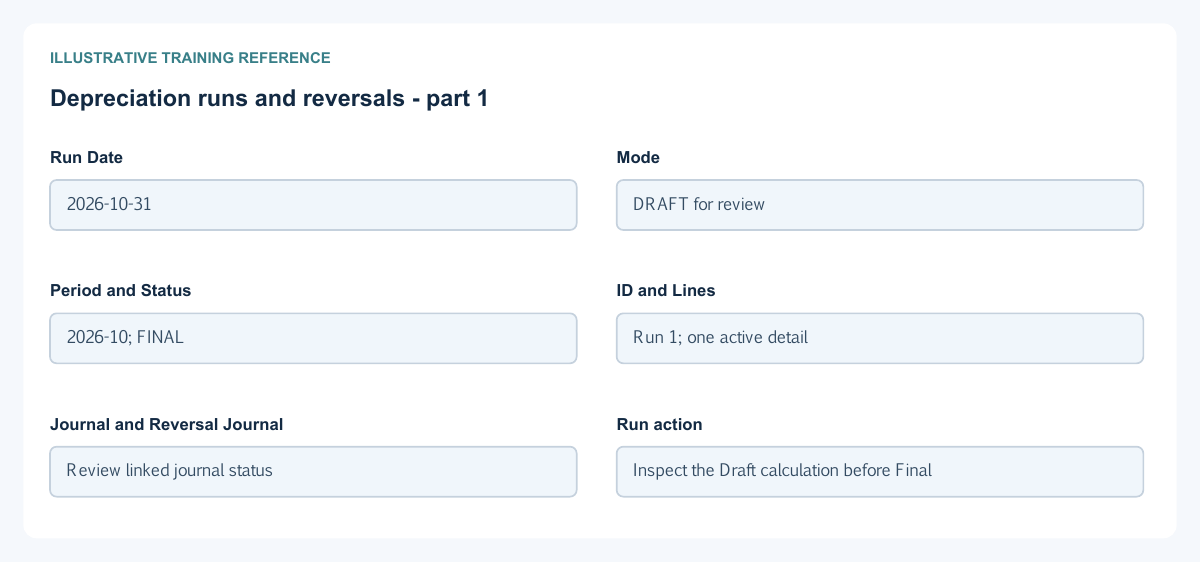
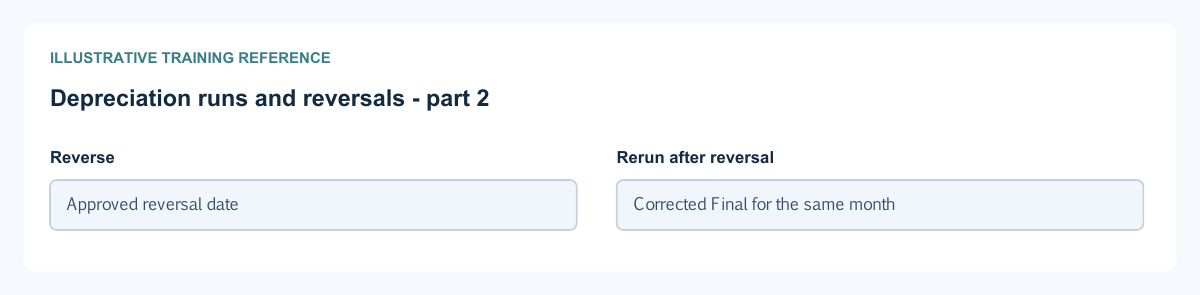
Figure 3 Depreciation runs and reversals
| Field and figure | Entry rule and example | Purpose and implication |
|---|---|---|
| Run Date - Figure 3 | Required date identifying the depreciation month. Example: 2026-10-31 | Provides the period and run accounting context. Caution: Check it against the last finalised depreciation period. |
| Mode - Figure 3 | Choose DRAFT or FINAL. Example: DRAFT for review | Separates calculation review from applying depreciation. Caution: A Draft is not a posted expense or change to accumulated depreciation. |
| Period and Status - Figure 3 | Derived saved run displays. Example: 2026-10; FINAL | Identify the affected month and run lifecycle. Caution: A later reversal remains part of history; do not delete it to rerun. |
| ID and Lines - Figure 3 | Generated run identity and calculated detail count. Example: Run 1; one active detail | Identify the run and allow inspection of its details. Caution: A line count does not prove every expected asset was eligible. |
| Journal and Reversal Journal - Figure 3 | Saved accounting references where applicable. Example: Review linked journal status | Link the run to the depreciation and reversal journals. Caution: A journal reference alone is not proof that its posting has completed. |
| Run action - Figure 3 | Calculate the chosen mode for the selected month. Example: Inspect the Draft calculation before Final | Final applies eligible depreciation and creates the applicable journal. Caution: Do not finalise the same month twice or assume a changed date avoids duplicate protection. |
| Reverse - Figure 3 | Use the eligible saved-run reversal action. Example: Approved reversal date | Restores the supported depreciation effect while retaining history. Caution: Review chronology, open periods and later transactions before reversing. |
| Rerun after reversal - Figure 3 | Use the ordinary eligible run process after checking the reversal. Example: Corrected Final for the same month | Retains prior run history and new active depreciation detail. Caution: Do not add a manual expense as well as the rerun. |
Asset value adjustments field reference
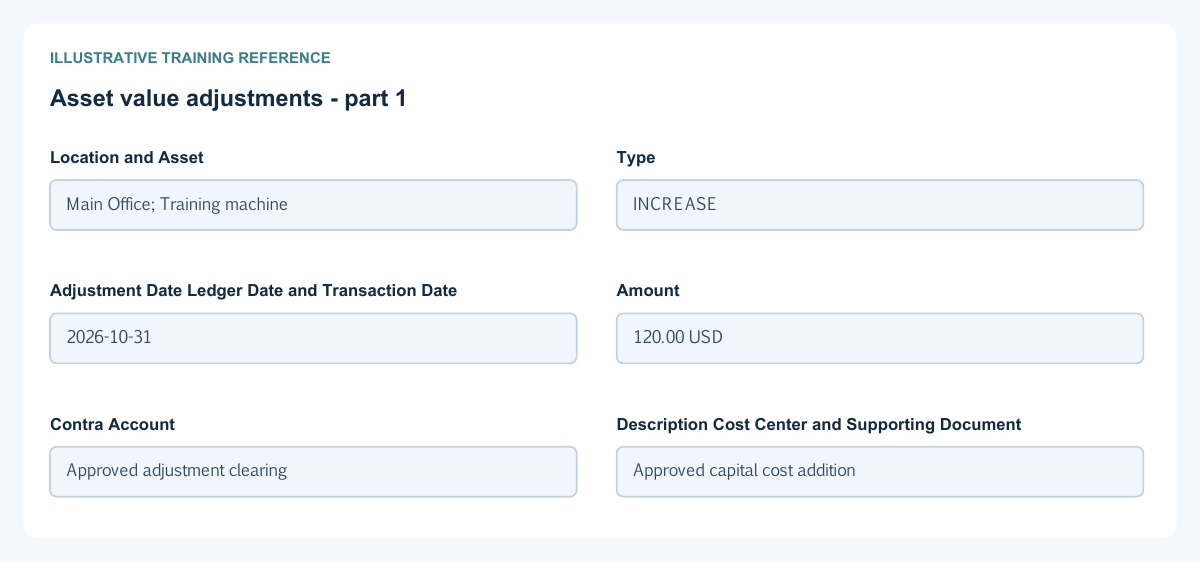
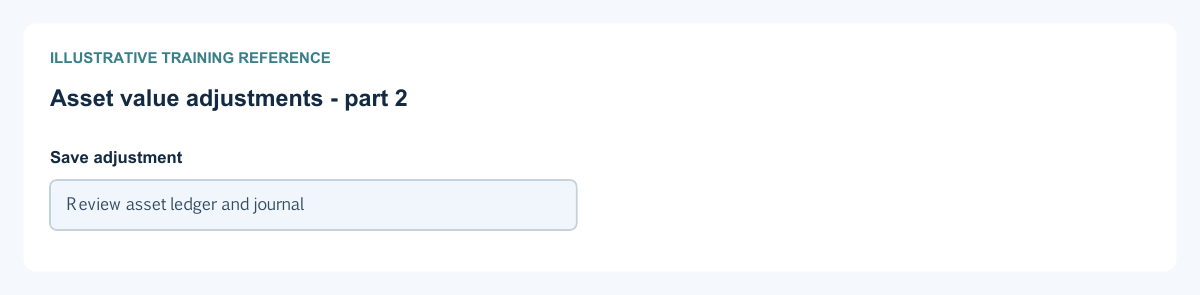
Figure 4 Asset value adjustments
| Field and figure | Entry rule and example | Purpose and implication |
|---|---|---|
| Location and Asset - Figure 4 | Required permitted location and actual asset selection. Example: Main Office; Training machine | Identify the asset being adjusted. Caution: Do not rely on a similar asset name or tag. |
| Type - Figure 4 | Choose INCREASE or DECREASE. Example: INCREASE | Controls the direction of the asset-value adjustment. Caution: Enter a positive Amount; do not reverse the direction again with a minus sign. |
| Adjustment Date Ledger Date and Transaction Date - Figure 4 | Required eligible dates. Example: 2026-10-31 | Record the business event and posting timeline. Caution: Do not backdate around later depreciation or closed periods. |
| Amount - Figure 4 | Positive adjustment amount. Example: 120.00 USD | Changes the permitted asset cost and corresponding carrying value. Caution: A decrease must respect the service's accumulated-depreciation/residual floors. |
| Contra Account - Figure 4 | Required approved offset account. Example: Approved adjustment clearing | Balances the asset adjustment journal. Caution: An adjustment is not automatically a supplier credit, refund or impairment policy decision. |
| Description Cost Center and Supporting Document - Figure 4 | Optional explanation, analysis and approved evidence. Example: Approved capital cost addition | Explain and support the adjustment. Caution: Keep the approval basis and do not duplicate source procurement cost. |
| Save adjustment - Figure 4 | Consequential saved change. Example: Review asset ledger and journal | Creates the adjustment and its accounting effect. Caution: Compare the refreshed register with the posted journal, not only a success notice. |
Disposal and asset reconciliation field reference
Figure 5 Disposal and asset reconciliation
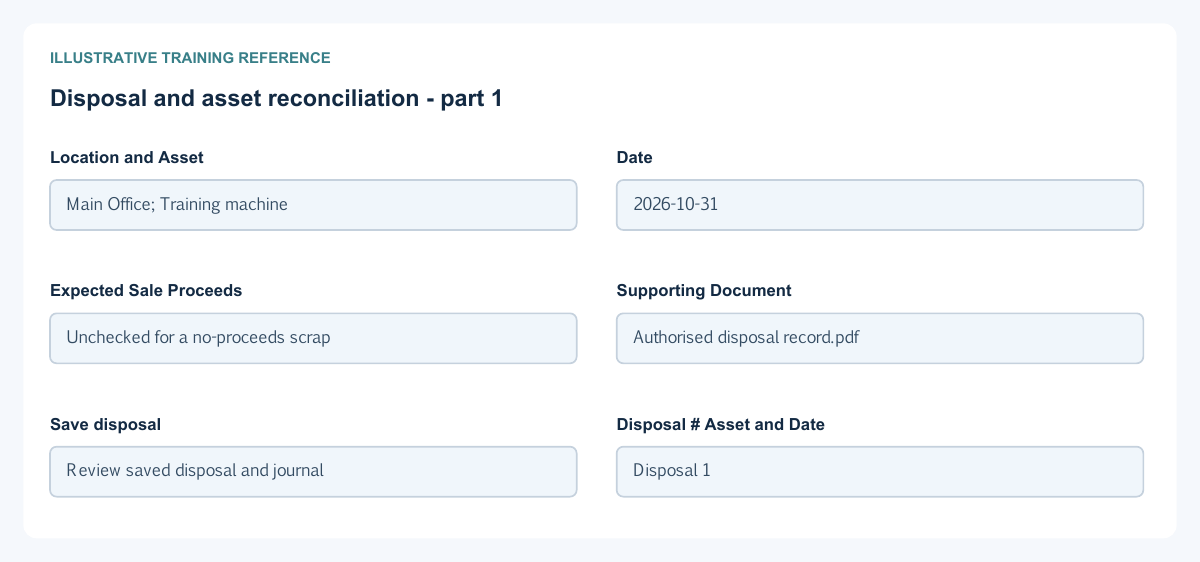
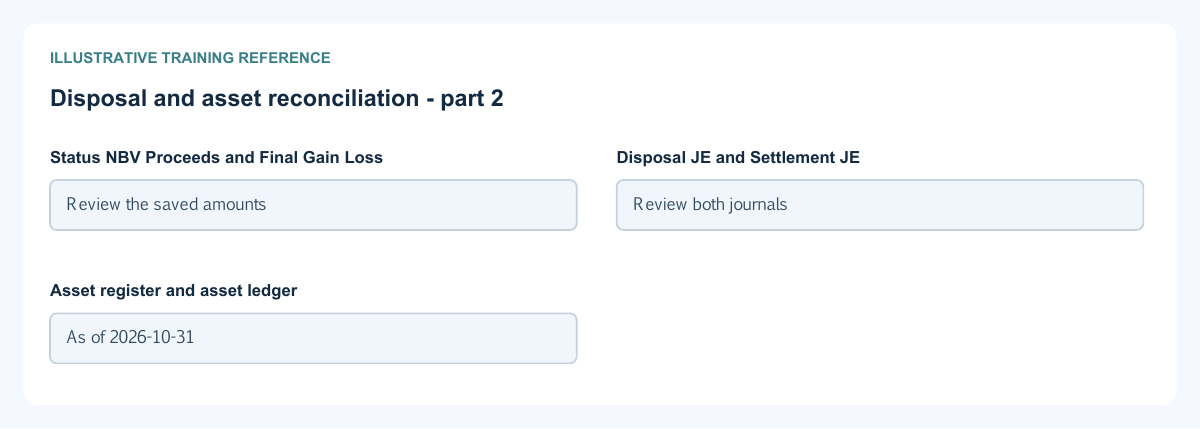
| Field and figure | Entry rule and example | Purpose and implication |
|---|---|---|
| Location and Asset - Figure 5 | Required eligible asset selection in the permitted location. Example: Main Office; Training machine | Identify what is being disposed. Caution: Review cost, accumulated depreciation and carrying value first. |
| Date - Figure 5 | Required eligible disposal date. Example: 2026-10-31 | Dates the removal of the asset and disposal journal. Caution: Check depreciation through the intended disposal point and period restrictions. |
| Expected Sale Proceeds - Figure 5 | Select only when disposal proceeds are expected. Example: Unchecked for a no-proceeds scrap | Distinguishes scrap/write-off from the clearing and later sale-settlement route. Caution: This form does not collect a bank account or the final sale receipt. |
| Supporting Document - Figure 5 | Optional approved disposal evidence. Example: Authorised disposal record.pdf | Retains approval and supporting reference. Caution: Removing an attachment is not reversing a disposal. |
| Save disposal - Figure 5 | Consequential action after review. Example: Review saved disposal and journal | Requests removal of cost and accumulated depreciation under the applicable loss or clearing treatment. Caution: The no-proceeds save can fail in this release; arrange an authorised support review and inspect saved records before retrying. |
| Disposal # Asset and Date - Figure 5 | Read-only saved disposal identity. Example: Disposal 1 | Link the disposal to its asset and date. Caution: Use the complete identity when reconciling. |
| Status NBV Proceeds and Final Gain Loss - Figure 5 | Saved disposal financial and settlement displays. Example: Review the saved amounts | Separate carrying value, realised proceeds and final settlement result. Caution: Expected proceeds are not cash received; an open settlement needs its own reconciliation. |
| Disposal JE and Settlement JE - Figure 5 | Read-only journal links where applicable. Example: Review both journals | Distinguish removal from subsequent settlement. Caution: Do not count clearing as both a disposal loss and an independent sale receipt. |
| Asset register and asset ledger - Figure 5 | Use the supported reports for the same company and date. Example: As of 2026-10-31 | Compare gross cost, accumulated depreciation, net book value and movements. Caution: Match filters and include disposed assets where needed to explain the change. |
Follow a simple carrying value example
Illustrative functional-currency example: a USD 1200 asset with zero residual, straight-line useful life of 12 months and a full in-service-month policy has USD 100 monthly depreciation. After one Final month, gross cost remains 1200, accumulated depreciation is 100 and net book value is 1100. Draft calculates for review without applying the balance. A supported reversal restores the affected depreciation; a later rerun must not duplicate the active monthly expense.
Distinguish adjustments from disposal
An approved positive INCREASE of USD 120 in the preceding example gives gross cost 1320 and net book value 1220 before any further depreciation. A DECREASE must respect the permitted floors. A no-proceeds scrap then removes cost 1320 and accumulated depreciation 100 and recognises loss 1220. These numbers illustrate relationships; actual dates, eligibility and journal status must be checked in your records. Adjustments do not automatically create supplier credits or bank refunds.
Handle expected proceeds as a separate settlement
The disposal form asks whether sale proceeds are expected; it does not ask for a bank receipt. A proceeds-expected disposal uses its supported clearing and later settlement route. The no-proceeds save can fail in this release: arrange an authorised support review before recording a scrap/write-off, and inspect saved records before retrying after any error. Do not enter fictitious sale proceeds to work around the problem. Review Disposal JE and Settlement JE separately and explain any remaining open clearing balance. The expected-proceeds checkbox does not record an actual sale or cash receipt.
Reconcile asset reports to the general ledger
Use the same company, date and disposed-asset filters in the asset register, asset ledger and GL. Reconcile opening cost plus capitalisations and increases less decreases and disposals to closing cost. Reconcile opening accumulated depreciation plus final depreciation less reversals and disposal removals to the closing balance. Confirm net book value equals gross cost less accumulated depreciation within the system basis and explain all clearing accounts.
Correct an error without deleting asset history
Use the supported Draft, depreciation reversal or adjustment route for the actual saved state. Inspect later depreciation, adjustment and disposal dependencies before reversing. Keep source procurement, capitalisation, reversal and settlement references. Do not recreate an asset or edit an opening balance to erase a posted history or a closed-period restriction.
Compare opening, late and CWIP routes
| Situation | Information to reconcile before entry | Result to check |
|---|---|---|
| Opening asset at cutover | Approved gross cost, accumulated depreciation, elapsed useful life, dates and matching opening GL | Register gross/NBV and historical depreciation agree without posting the same opening twice |
| Late capitalisation | Historical acquisition/in-service dates, open ledger date, catch-up boundary, reason and previous expense/asset records | Eligible catch-up and current depreciation are distinct; a current save date does not rewrite the historical event |
| CWIP capitalisation | Eligible uncapitalised source costs, prior capitalisations, selected amount, target asset/category and dates | Source cost is used once; resulting asset cost and CWIP clearing reconcile |
| Addition to an existing asset | Approved cost change and current asset history | Correct asset identity, gross/NBV movement and future depreciation basis |
For an illustrative opening, gross cost 12,000 less accumulated depreciation 3,000 gives NBV 9,000. The 3,000 is historical accumulated depreciation, not automatically a new current-period expense. If a legacy opening journal already established these GL balances, the migration design must avoid a second capitalisation of the same cost. Agree the supported route and control-account reconciliation with the accountant before entry.
For illustrative CWIP sources of 6,000 and 4,000, a complete eligible capitalisation totals 10,000. Confirm whether the workbench creates a new asset or adds to the intended existing one, and reconcile the selected source utilisation. A remaining 2,000 after capitalising only 8,000 is not automatically a loss: identify the uncapitalised source, eligibility and timing. Do not also create a manual 10,000 asset for those same costs.
Separate disposal carrying value, proceeds and cash
Suppose an asset's cost is 1,320, accumulated depreciation 100 and NBV 1,220. A separately approved proceeds expectation is not a received cash amount. Reconcile cost/accumulated-depreciation removal, disposal clearing, gain/loss and any later supported sale/settlement documents using their actual dates and posted state.
The no-proceeds constraint described above still applies: do not turn on expected proceeds, choose a fictitious bank or create imaginary receipts to force a scrap through. If support is reviewing a failed disposal, inspect whether any saved asset/disposal/journal exists before retrying. An illustrative disposal calculation does not prove that the save completed.
Complete an asset review checklist
- Identify the asset by its saved number, category, location and source cost; exclude duplicate manual/opening/CWIP routes.
- Confirm gross cost, residual value, useful-life/method, in-service/capitalisation dates and actual depreciation period.
- Compare Draft with Final, reversal/rerun history, adjustments and later dependencies. Check actual posted journals rather than only a run number.
- Tie the asset register and asset ledger to cost, accumulated depreciation, expense and clearing GL using the same company, as-of date and disposed-asset filters.
- Retain acquisition, calculation, approval and settlement evidence. Document unresolved differences and use the supported correction route; do not edit history to conceal them.
Related user guides
Fixed asset setup, vendor invoices, general ledger controls, reporting and cash and bank.